

Audio visualizer for macOS
Your music, behind your icons.
Kymatra draws a live oscilloscope behind your desktop icons, from the sound your Mac is already playing. Never the microphone. Written in Swift and Metal, for Apple silicon.
Free. No account, no ads, no microphone, nothing collected.
A sketch, not the app
Five shapes, drawn in your browser.
This is an approximation on a canvas, and it is here to show what each mode does with sound rather than how the finished thing looks. Kymatra draws in Metal at 120 frames a second, behind your desktop icons, in colors it reads from your own wallpaper. Judge the shapes here. Judge the finish on your own Mac.
Play something and the trace follows it. A track you pick is read on your own machine and never uploaded.
A linear trace driven by low frequency content, aligned frame to frame so it holds still instead of skating across the screen.
Built for the machine it runs on
It gets out of the way.
A wallpaper runs all day, behind everything else you are doing. Kymatra is built so you never have a reason to quit it.
The app it was written to replace used about 3,000 MB to do this. That is the whole reason it exists.
- Memory, active
- 146 MB71.6 MB while nothing is playing, and about 74 MB less again while covered
- CPU, active
- 8-12%0.4% while nothing is playing, 0.3% while covered
- Frame rate
- 120 fpsDrops to zero when the room is quiet, or when a window covers the desktop
- Audio passthrough
- UntouchedThe tap never alters what you hear
Measured on a 3024 × 1964 built-in display driving a single screen. When audio stops, Kymatra stops issuing draw calls altogether rather than drawing a flat line over and over. It does the same the moment something covers the desktop, per display, and gives the memory back until you can see the wallpaper again.
Three places to put it
It is not only a wallpaper.
A wallpaper is covered most of the day. Kymatra stops drawing when something is over it, and gives you two other places to watch the same trace.
A small window
Stays above your other windows, from the menu bar or ⌥⌘M. Drag it anywhere and resize it from its edges. It settles against the screen edges, the menu bar and the notch, taking the shape of whatever it is against, and it can be solid, glass, or transparent over your wallpaper.
It draws a visualizer of its own rather than a copy of the one behind your icons, seeded from one already there, so its color and response come across and its size and position are its own.
Full screen
The visualizer alone on every display, above the menu bar and the Dock, from the menu bar or ⌥⌘K. Your own desktop picture stays behind it. Escape, any key or a click leaves.
It can put itself up after a set time with no keyboard or mouse, and lock the Mac on the way out, which makes it a screen saver that can hear what is playing.
Five ways to draw it
Pick a shape, then tune it.
Every mode keeps its own settings, so tuning the bars never disturbs the trace you spent an evening getting right.
Linear and dual
The waveform itself, drawn edge to edge, or reflected about its center line. Correlation alignment holds the trace steady between frames.
Polar and radial
The same signal wrapped into a ring, either as a time domain trace or as a band of low frequencies deflecting around the circle, over whatever range of them you choose.
Bars
Discrete frequency bars, mirrored about the center, with smoothing measured in points rather than in bins. 30 Hz to 16 kHz to begin with, and you set both ends.
Any of them can be turned to any angle, flipped, folded about the center so the two halves mirror each other, and given an outline in a second color. Press Place and the wallpaper comes up full screen with a handle on each one, to be dragged, resized and turned where you want it. When a set of choices is right, save it under a name and bring the whole thing back later.
Highlights
Or light the picture itself.
Some wallpapers are the wrong thing to draw a trace over. A face with glowing eyes wants the eyes to glow. A highlight is a shape placed on the picture that brightens with the music rather than deforming with it.
Aimed at the picture
Placed by dragging it onto the feature you mean, and recorded as a place in the picture rather than on the screen, so it lands on the same eye on a display of another shape. The light lands where the picture is already bright, so the iris glows and the eyelid does not.
Shaped by hand
An ellipse, a polygon, a line or a point to start from, then drag any point of it, make a point sharp or smooth, add one on the curve and round or square the corners. Each highlight listens to a band of its own, with its own color, brightness and softness.
Grouped, and kept
Two eyes are a group: one entry that opens into its members, and one box that moves, scales and turns them together. A highlight belongs to the wallpaper it was placed on, so changing the picture puts it away and changing back brings it out, one set per picture.
Color
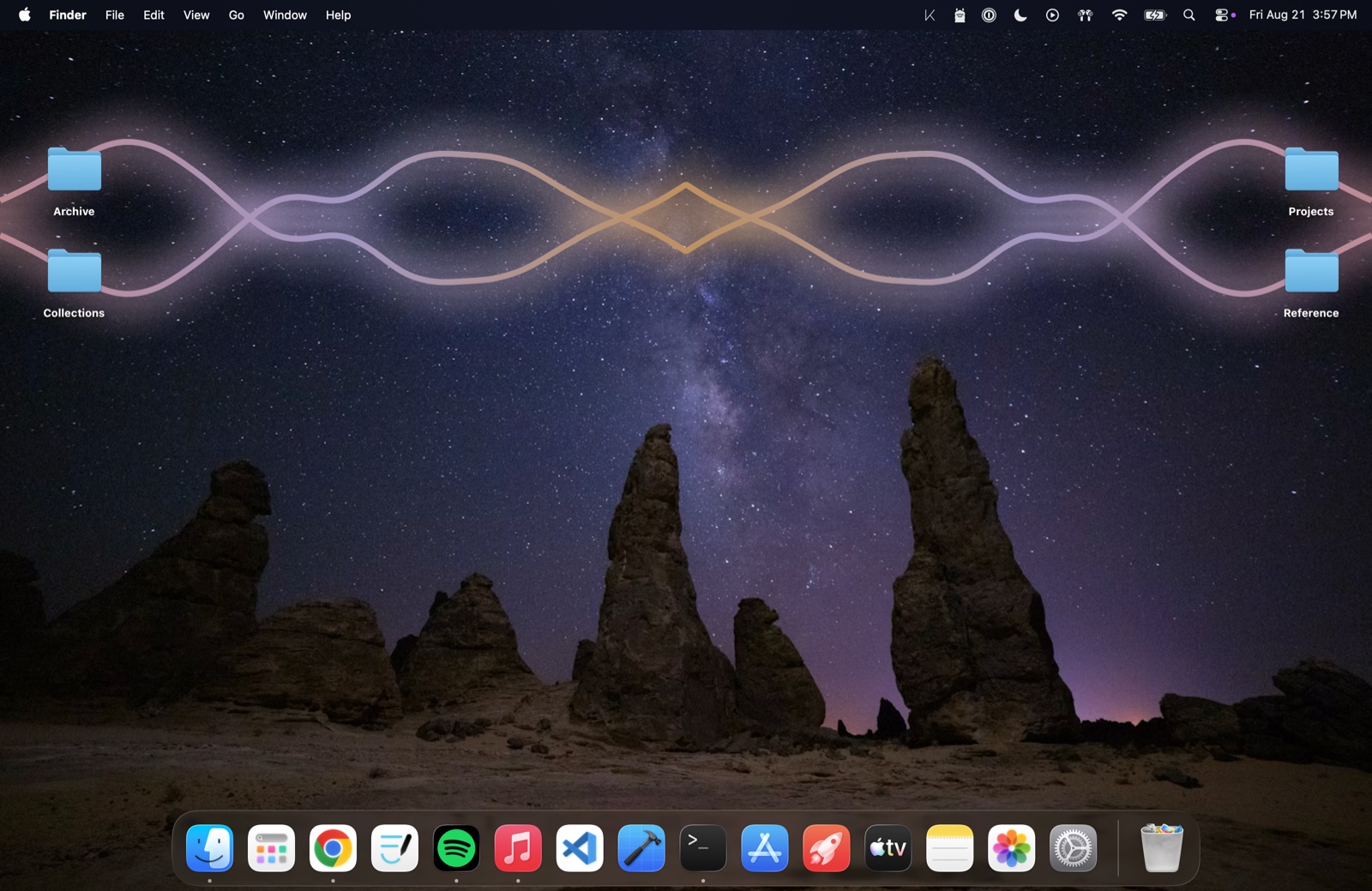
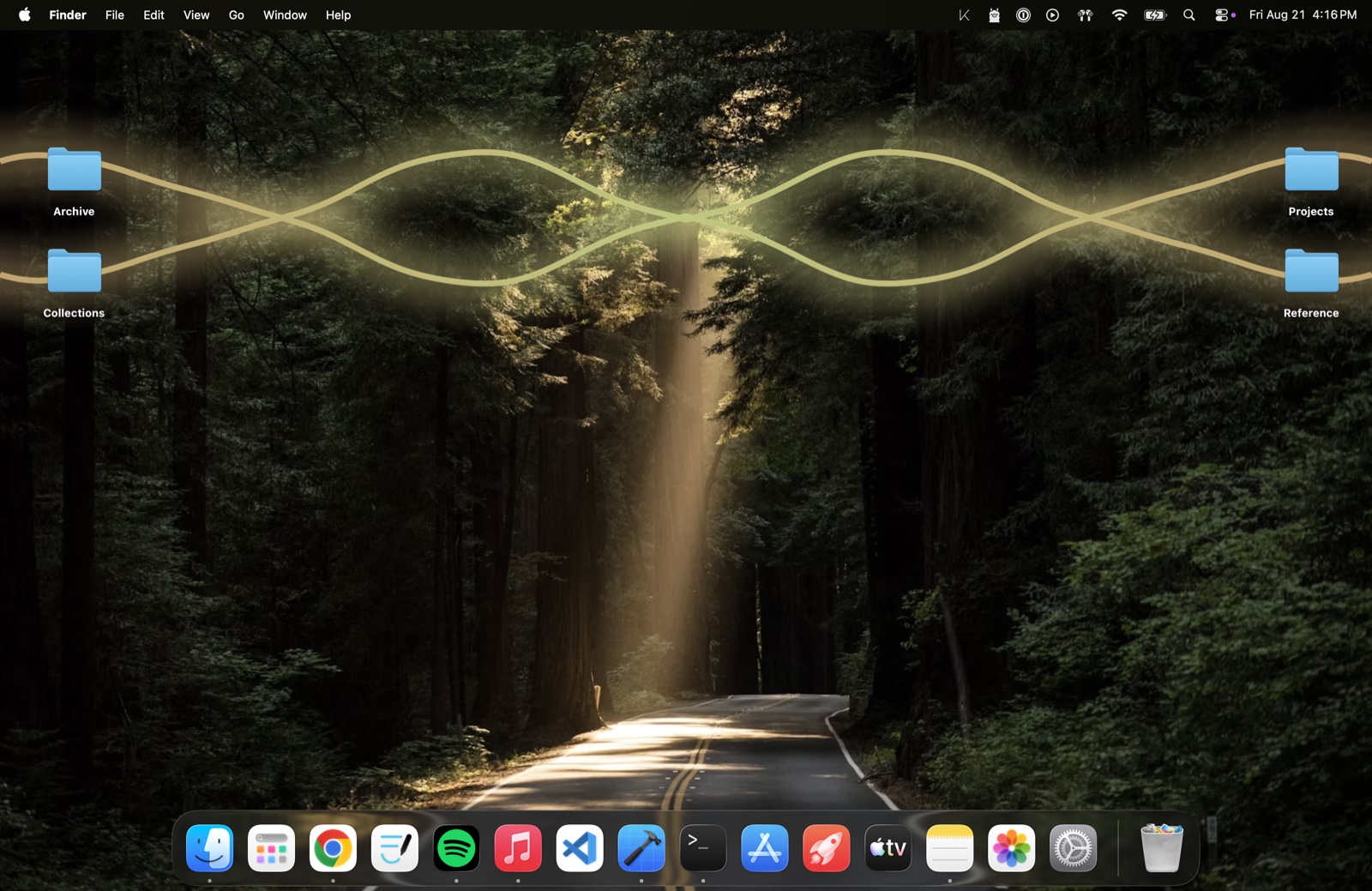
It takes its colors from your desktop.
So the trace belongs to the picture behind it rather than sitting on top of one.
Read from the wallpaper
Kymatra counts the colors actually on your screen and offers you what it finds. It crops to what your display shows, and picks the right image out of a dynamic wallpaper rather than whichever one happens to be first.
Solid or cycling
One tint, or a list of colors walked through over time. Tints are only partly saturated on purpose: a fully saturated color carries far less light than white and goes muddy against a dark desktop.
Gradients
A list laid across the trace, reversible, and able to travel along it. A moving gradient wraps and a still one does not, so a sliding ramp never drags a hard seam across the screen.
Privacy
It never connects to anything.
Kymatra reads the sound your Mac is already playing, the same signal that goes to your speakers. It never touches the microphone, and it has no network code in it at all.
There is no analytics, no account, no update check, and nothing to activate. It is free, so there is nothing for it to check and nobody to ask. Nothing about what you listen to leaves your computer, because there is nothing in the app that could send it.
Price
Nothing to buy, now or later.

- Every mode and every setting
- Every future version, free as well
- No account, no subscription, no ads
- Use it on as many Macs as you like
- macOS 26.0 or later, Apple silicon
- Support from a person, by email or Discord
It runs entirely on your own Mac with no server behind it, so one more person costs nothing to serve. A tip is a gift rather than a purchase: there is no other version to unlock, and no upgrade to pay for when the next one arrives.